Showing posts with label #digitalcitizenship. Show all posts

Friday, 6 May 2016

Literacies in a Digital Age


All teachers are responsible for teaching studies literacies whether they are traditional reading, writing and speaking or the new literacies we encounter. The idea of transliteracy was a new term for me. Transliteracy was defined as “the ability to read, write and interact across a range of platforms, tools and media from signing and orality through handwriting, print, TV, radio and film, to digital social networks” (Thomas, Joseph, Laccetti, Mson, Mills, Perril & Pullinger, 2007).

With these new literacies comes new skills that need to be unpacked and taught to students in order to succeed in this evolving digital age.

1. Critical Thinking & Questioning

As part of digital literacy, students need to think critically in conjunction with their digital tool knowledge (Anyangwe, 2012). Many students feel confident using technology but don’t truly understand the skills they need to be successful. So much of the content online is taken at face value by students and they need to understand who is saying it, why they are saying it and what are the other perspectives (November 2014). Students need to learn how to question the authenticity of content online and using these questions to drive their inquiries further.

2. Creating & Curating

With the rise of Web 2.0, it is no longer okay just to consume digital content. Rather, students need to learn how to create content and curate it. Not only that, they must be able to create content that effectively communicates a message. As a consumer of content, students need to take this content and sift through it, organising what is relevant and pertinent information and what content is not useful (Holland, 2013). These skills take time to develop and should be continually built upon.

3. Collaborating and Connecting

Working with others doesn’t come naturally to everyone. Building the skills and strategies to be effective with others takes time but the outcome of connecting and collaborating is phenomenal. Through collaboration, many ideas can be combined to create something better than any one individual’s ideas. In education, connecting with others allows you to learn from others and better yourself while being exposed to so much more knowledge and experiences that one could ever imagine. It is important to model appropriate ways to connect with others online in a safe and positive manner and how to make these interactions beneficial to everyone (Holland, 2013).

References

Anyangwe, E. (2012, May 15). 20 ways of thinking about digital literacy in higher education. The Guardian Newspaper. Retrieved from: http://www.theguardian.com/higher-education-network/blog/2012/may/15/digital-literacy-in-universities

Holland, B. (2013, November 18). Packing for the digital exploration. Tedx Talks [video]. Retrieved from: http://www.youtube.com/watch?v=wJBwe1HPTtw

November, A. (2014, May 6). Who Owns the learning? Preparing students for success in the digital age. [video] Retrieved from: http://www.youtube.com/watch?v=NOAIxIBeT90

Thomas, S., Joseph, C., Laccetti, J., Mason, B., Mills, S., Perril, S., & Pullinger, K. (2007). Transliteracy: crossing divides. First Monday, 12(12).

Sunday, 10 January 2016

Issue: Illegal Downloads and Software Piracy

Choose one of these issues, relevant to the level you will be teaching, to investigate further. While you will have already investigated acceptable use policies there may be other issues related to safety you wish to explore further.
Use the links listed in the text as a starting point for your research.
Post a brief summary of your findings to your blog.
-------
As an educational institution, our schools are responsible for leading the way as digital citizens. This includes providing staff and students with legal software. Piracy and illegal downloads are not uncommon. According to one article, 1 in 10 Europeans admit to illegally downloading, with the number likely to have been higher (Debating Europe). 

There are two organisations whose roll is to police the illegal downloads of music and video. These organisations are: Recording Industry Association of America (RIAA) and the Motion Picture Association of America (MPAA). Doug Chappell said that people need to "understand that digital theft does not only hurt the artist or the record label but also every one who works for them or is a supplier to them ie: couriers, recording studios, graphic artists, office workers, accountants, press and promotion people. The list goes very deep of those that will lose jobs or income due to the theft" (Wolfe-Wylie, 2012).

It is also important to know that copyright laws vary from country to country. While living in China, the copyright laws were very loose and didn't really exist. One of the main search sites in China, Baidu, actually supported and to some extent encouraged illegal downloading. It always boggled my mind that Google was blocked, VPNs were blocked but yet downloading music was so easily accessible in such a country. 

Nowadays, options such as Netflix and Spotify provide users with a wide range of songs and videos for a minimal monthly fee for unlimited views. Using these options also moves people toward a legal option of paid streaming with Spotify paying royalties (Spotify Artists, 2015). This ensures that these industries are properly being supported. 

We should continue to educate our students about illegal downloads, the impacts on industries and the impact on us if it is continued. Our students need to know that while one song downloaded may not seem to be an issue, one song multiplied by many times and many individuals definitely does add up. As educators, we should be the role models for our students and teach the alternatives to illegally downloading with legal options. 


References 
Debating Europe (2015). What would save the music industry from piracy? http://www.debatingeurope.eu/2015/06/26/what-would-save-the-music-industry-from-digital-piracy/#.Vp4LcVN97RQ

Spotify Artists. (2015). How spotify is contributing to the music industry. http://www.spotifyartists.com/spotify-explained/

Wolfe-Wylie, W. (2012). Music piracy hurts. Toronto Sun. http://www.torontosun.com/2012/05/12/music-piracy-hurts


Thursday, 7 January 2016

Digital Citizenship and Cyber Safety Links

Post to the Wiki and your blog any useful links you have found digital citizenry and cyber safety.
-----

CommonSense Media  - https://www.commonsensemedia.org/
 - Scope and Sequence - https://www.commonsensemedia.org/educators/scope-and-sequence
 - Graphite - https://www.graphite.org/

Digital Passport (Grades 3-5) - https://www.digitalpassport.org

Digital Compass (Grade 6-8) - https://www.digitalcompass.org

Digital Bytes (Grade 9-12) - http://digitalbytes.commonsensemedia.org/

MediaSmarts  - http://mediasmarts.ca/tag/categories/digital-citizenship

Google Digital Citizenship - http://www.google.com.au/edu/tools-and-solutions/index.html#

Cyberbully - http://cyberbully.org/

SchoolAtoZ: Raising Good Citizens - http://www.schoolatoz.nsw.edu.au/technology/using-technology/raising-good-digital-citizens

Australian Government - Digital Citizenship - https://esafety.gov.au/education-resources/classroom-resources/digital-citizenship?from=cybersmart

Digital Citizenship NSW - http://www.digitalcitizenship.nsw.edu.au/

Edmodo Digital Citizenship Starter Kit - https://blog.edmodo.com/2012/09/19/download-the-digital-citizenship-starter-kit-from-edmodo-common-sense-media/

NetSmartzKids - http://www.netsmartzkids.org/

5 Minute Film Festival - Teaching Digital Citizenship - http://www.edutopia.org/blog/film-festival-digital-citizenship

Resource Roundup - Digital Citizenship Edutopia - http://www.edutopia.org/article/digital-citizenship-resources

Discovery Education - Digital Safety Resources - http://www.discoveryeducation.com/DigitalSafety/

iKeepSafe - Google Digital Literacy and Citizenship Curriculum - http://ikeepsafe.org/educators_old/more/google/

Digizen - http://www.digizen.org/

TeachInCTRL - http://www.teachinctrl.org/

Alberta Digital Citizenship Resources - http://www.learnalberta.ca/content/sssm/html/udt_digitalcitizenship_sm.html

Digital Citizenship resources - http://carmenl.weebly.com/

Digital Literacy Day - Resource RoundUp - http://www.edutopia.org/digital-learning-technology-resources

Social Media Education Resources - http://www.edutopia.org/social-media-education-resources

Tuesday, 5 January 2016

Good Digital Citizens

Post to your blog your ideas for ensuring your students are "good digital citizens" and "safe" users of technology in your classroom. This is much easier said than done, however there are a range of strategies you will have found recommended.
-----

Like any behaviours that teachers want to instill in their students, the expectations for behaviours need to be laid out at the beginning of the year. Within the first week of school, students engage in a lesson about the acceptable use policy. They are then expected to take a copy home, sign it and review it with their parents before returning it. All students in the Primary school begin with this routine. From there, it is easy to reference back to as the students begin to do activities. Teachers must be fully versed in the acceptable use policy as well and hold their students to this standard. Our acceptable use policy is quite thorough for students and focuses on the following topics: respectful, responsibility, care for devices, privacy, accessing appropriate information, referencing, discipline and social media (Chatsworth, 2015).

Another important aspect of teaching students about digital citizenship is actually modelling it as a teacher. It is extremely frustrating as a education technology coach when teachers ask me how to do things that are illegal, not aligned with our acceptable use policy or incorrectly. If teachers do not model how to be a good digital citizen, how can we expect our students to? As teachers, we should be showing students how to engage appropriately with emails, citing our work and referencing images in presentations. We need to be leading the way when our students turn to use for the standard. One way I have done this is set up an email writing programme in the past where students email me each week and I respond with an email. From this, students understand the format of an email, appropriate email communication all while building their written communication skills and rapport with the teacher.

Digital citizenship should be embedded into the curriculum and not taught in isolation. Students need to make meaning of it by connecting it to real life experiences inside and outside of the classroom. The Year 6 students are currently doing their puberty unit and learning about body image. This also translate into their online image and how they see themselves.  The teachers and students are having conversations about the impact of media and social media on their views of themselves and the images they also share. They are also discussing how to communicate appropriately on social media platforms. These topics are completely integrated, giving students context for the topics. 

There are also those times when teachable moments arise. Perhaps someone posts something inappropriately online or you see another student properly reference images. These are great conversations to have in the moment even though they weren't planned. When questions come up from students about something online, you shouldn't shy away from it but rather support the student's inquiry and help build their digital citizenship schema.


One of the other things as an educator I need to be cognizant about is that educating a child is a partnership between the school and home. This is why we also need to educate our parent community. When I was a homeroom teacher, I made sure that my class parents were informed regularly about what we were doing in our classroom, the technologies we were using and conversation starters they could have with their children. As an education technology coach, I work with members of our leadership team to develop and conduct parent sessions related to their child's technology use. We also have an open door policy for parents to drop in and ask questions whenever they need to.
 

Educating our students to become good digital citizens is not an easy task and not a task that can be accomplished in a year. It requires the whole school to approach digital citizenship as the way of moving forward. Currently our school is looking to build a digital citizenship curriculum that is integrated into various units from kindergarten to Year 13. Together with a whole school approach, we can work to support and model good digital etiquette for our students to follow.

References

Chatsworth International School. (2015). Acceptable Use Policy - Chatsworth Group of Schools [internal document]. 

Wednesday, 30 December 2015

Potential Problems

Post to your blog: From the five potential problems listed on pp 214-216 in Roblyer, which may have the most impact on your classroom and students and why? How will you ensure you address these concerns in your lesson planning in your assignment and in the future?

---------
Potential Problems:
1. Accessing Sites with Inappropriate Material 
2. Safety and Privacy Issues for students 
3. Fraud on the Internet
4. Computer viruses and hacking
5. Copyright and Plagiarism 

Out of the 5 potential problems, 3 of the hit home most for me. Digital citizenship is something that our school needs to address more explicitly and we are currently looking at a whole school approach and developing a curriculum to meet our community needs that we hope to roll out next academic school year. This is going to take a lot of conversations and perspectives before we get it the way we want.

There is so much content online that at some point students are likely to access sites with inappropriate material on them. As teachers, we should be directing our students towards sites we approve of through web quests or other online activities. It would be good as a class to generate some good sites for searching for information on instead of just typing into Google. Students also need to learn what sites have valid information and which ones should not be there starting point for research (ie. Wikipedia). Students also need to be taught how to search. This means how to use keywords and use advanced search functions to narrow their search to get the information they actually want to find.

The safety of students is always a high priority for any school. It is more difficult to keep students safe online in a digital world that is difficult to navigate at times. Students need to learn how to use the internet safely and keep their information private. Students should be taught what information is appropriate to give online, how to create and keep safe passwords, what environments are safe to communicate with other people online and what to do if cyberbullying takes place (Roblyer & Doering, 2014, p. 215). Again, education is important.

There are so many instances when students plagiarise others' work unknowingly. Students need to be taught from an early age that you can't just copy someone else' s work. This starts with learning how to take notes, how to reference others' work and also how to check that you haven't accidentally copied someone's work using sites that prevent plagiarism (Roblyer & Doering, 2014, p. 216).

I think with all three of the issues bolded, it is important to take a proactive approach and be open and honest with students by opening the lines of communication. Students need to be taught how to navigate their digital presence online in a safe manner. Teachers should also use teachable moments as they arrive. Therefore teachers should not just get mad and scold a student for finding something inappropriate online but rather, use it to show how the situation could have been avoided and what steps could be taken in the future.

References
Roblyer, M. D., & Doering, A. H. (2014). Integrating educational technology into teaching [Sixth Edition].

Another issue - restricted internet access


Another issue related to Internet use – particularly in schools – is the restricted nature of Internet access. We have seen why this would be considered necessary, but it also stifles the ability of both teachers and students to access the resources they need. What are you able to access at your school or institution – or not? Does this work? What does this mean for an educational institution where many students have internet capable smart phones? Does this mean restrictions should be relaxed and better supervision should be utilise
---------

We are able to access most websites that I would need as a teacher. However, social media sites are blocked including Twitter and FaceBook. While I don't mind FaceBook being blocked, I use Twitter quite a bit for educational purposes. I often am reading articles or sharing my own work with other educators. However, there is a way around it - mobile devices. If I have my iPhone on me and I don't connect to the school wifi, I can still access Twitter and use it on campus. This is not ideal because I would rather be able to read things from my laptop more easily with larger font but it is a work around.

This mimics what are students are doing too. With the rise of mobile devices and unlimited data, students don't need the school network to connect to the internet. Does this mean we should abandon it? I don't think so. For our younger students especially, it is important that we have firewalls,  security and safety measures in place until they understand the internet better and have more knowledge about being a digital citizenship. We don't allow cell phones in the classroom, so students shouldn't be viewing things from their mobile devices during the school day (specifically at the primary school). However, as students become older they are going to make their own choices and have more non-class time in their day that they can access social media sites from their mobile devices. The important thing is that we as educators have done our do diligence to educate students so they are prepared to make appropriate choices and act in a mature manner online.


Saturday, 26 December 2015

ICT in the Curriculum

Post to your blog your ideas about your software choices in relation to your discipline area and which part of the curriculum you will focus on. This might be a little tricky for those of you who have not spent a lot of time in the classroom yet, but if you spend some time looking at the curriculum document, you should be able to find an area of the curriculum that will be appropriate for you to use in this assignment.
----------
As the Education Technology Coach at my school, technology is my discipline. It is my role to support teachers and students in using technology in authentic and meaningful ways. Thus, for this course, I will focus on the transdisiplinary learning in a primary classroom using the International Baccelaureate programme. 

With the IB, there is no set curriculum, rather it is a framework of learning. Within our school we have a scope and sequence for the various subjects that is integrated into the units of inquiry. Our school has no specific ICT curriculum. Rather, the units integrate technology where appropriate. 

From this perspective, the curriculum is often taught using technology for teaching and learning. My focus though, is teaching transferable skills using technology. For example, communication skills like viewing and presenting are taught through the use of technology. Students construct visuals using technology tools such as Google Drawing, Pixlr or Paper 53 that convey meaning to an audience. Students need to use design elements and principles as they create their visuals. Another example is having students choose the most appropriate technology tool to show their understanding and demonstrate their knowledge. Sometimes that might be a Google Document, other times it might be using iMovie to create a video or Piktochart to demonstrate their statistics in a visual. 

With the IB, there are 6 overarching elements of ICT in the Primary Years Programme: Creating, Collaborating, Organizing, Becoming Digital Citizens, Investigating and Communicating. Through these, students develop their skills to become digital learners using technology tools as one of many resources in their learning journey. 

Friday, 20 November 2015

Citizenship in a Digital Age

Digital literacy is about helping our students develop the skills and behaviours to be successful in a digital age. This includes supporting our students in how to find, access, and use information they find online, communicating through various digital medias, collaborating with others and making smart decisions while using technology that demonstrates being a good citizen. 
As technology becomes more accessible to the masses, digital tools provide educators and students with an unlimited amount of resources and access to information. Students need to be able to not only access the internet but be critically analyze what they discover, the source of information and its validity.

With Web 2.0, the user experience has gone from just consuming digital content to engaging and interacting with it. The ability to connect and collaborate with someone from across the globe has become easy with the various social media platforms. Through this, students can connect with experts to raise the quality of their work by getting information from the source. In doing so, students need to be aware of how their online communication really should not be that different from their offline communication. Respect, kindness and common sense should continue no matter if you blur the lines of communication to a virtual platform. 

Above all, we must continue to educate our students with how to be a good citizen with how to be a good digital citizen simply as an extension of citizenship. Our students should understand that the choices they make online will remain present for all to see in the future. The pictures they post give insight into the type of person they are and their identity that extends offline. As they continue to build their online relationships, they must think about how this impacts their lives on a greater scale. 

Perhaps calling referring to as 'digital citizenship' is too narrowing. Being a good person is being a good person. Rather, we are educating our students of how to be a good citizen in an increasingly more digitalized world. As we educate our students for an unknown tomorrow, we must provide them with the appropriate skills and behaviours that allow them to be successful in a digital age - not only online but in every day life as well. 

Image from: https://www.iste.org/explore/articledetail?articleid=192

Thursday, 19 November 2015

Digital Literacy

Digital literacy is helping our students develop the skills and behaviours to be successful in a digital age. This includes supporting our students in how to find, access, critically analyze, and use information they find online, communicating through various digital medias, collaborating with others and making smart decisions while using technology that demonstrates being a good citizen. 

Monday, 9 November 2015

Twitter in the Classroom

So many social media sites have that age restriction in place so it makes it hard for students to access it as a resource. I have seen teachers create the class account at the elementary level but students are still posting on it. We actually have Twitter blocked by our firewall for all students K-12 (and teachers). I agree with the younger students but could be a used as a valuable way to connect students for global projects or interact with celebrities/ experts on specific topics. 
I personally use Twitter all the time and it is the best source of professional development for me. I sometimes just throw out a question I'm thinking about and see the various perspectives or resources that I get sent back in return. It's actually been a great way to gather research articles for a few papers now! You have access to experts who can share their experience and research they've done too. 
We don't use Google Classroom even though we are a good school due to using Hapara Teacher Dashboard and ManageBac (in secondary) for submitting assignments. 
I also love using Google Docs in language classes. The ability to take editing and revising to the next level is fantastic. Plus there are add-ons for table of contents, referencing etc. One of my favourite features is the 'suggesting' mode instead of commenting where a friend can suggest edits and the owner can choose to accept or deny the suggestions. This really helps the digital revision process come alive. 

Social Media in the Classroom

Social media allows individuals to have a platform to communicate and connect around the globe. I agree that the bullying can continue away from the educational institute, causing the student to ever have an escape from the bullying.

We do not use social media too often with our students, have an acceptable use policy and most social media sites (Twitter, Google+ , Snapchat, etc.) are blocked on the school network. Unfortunately, this does not eliminate what happens on cell phones and personal devices that are not connected through the school wifi. One of the ways I have worked with students in a closed and supportive social media network is through Edmodo. Edmodo mimics Facebook for students in a closed group that is created and monitored by their teacher. Students can communicate, share resources, etc. in small groups, through the discussion feed and learn how to navigate social media. When using Edmodo, we discuss a lot about digital citizenship, digital footprints or digital tattoos, online identity, creating profiles, how our 'brand' is seen by others, etc. It allows students exposure to social media without some of the challenges that are experienced through open social media tools.
I have personally not had to deal large scale issues of cyberbullying. However, social media also has the opportunity to take a turn for the worst allowing the 'trolls' to come out. I use Twitter to build my Personal Learning Network (PLN), gather ideas and resources, and share resources I have created. I find it to be a positive experience, though some of my colleagues have had very different experiences where people have 'trolled' them. Trolling is when someone posts negative or mean comments at another user. My colleague had others call him all kinds of things just because he had a different opinion to theirs. These are educators. If adults who are supposed to be role models for their students spend time trolling the internet, how can we expect our students not to? We as educators have to role model for our students safe and responsible use of social media.

It was nice to see when I read the article 'Why Twitter is Finally Taking a Stand Against Trolls' (Lapowsky, 2015) that the social media sites themselves understand the importance of not tolerating people who cyberbully others. Twitter is flagging inappropriate comments, indirect threats, violent threats, underage usage etc. This is essential for making the social media experience enjoyable for all users and it is positive to see resources put into identifying and eliminating those who do not wish to use social media in a positive manner.

References
Connect With Students and Parents in Your Paperless Classroom | Edmodo. Retrieved September 12, 2015, from http://www.edmodo.com/

Why Twitter Is Finally Taking a Stand Against Trolls. Retrieved September 20, 2015, from http://www.wired.com/2015/04/twitter-abuse/

Acceptable Use Policy


I work at an international, PYP school in Singapore and we indeed have an Acceptable Use Policy. In fact, in my new role this year as EdTech Coach, I actually had to rewrite the Acceptable Use Policy in conjunction with our Director of Education Technology.

The AUP is for all students in our school. In the primary level, students use the school's technology whether that's iPads/iMacs in Kindergarten - Year 2 or the 1-to-1 laptop programme in Years 3-6 or the BYOD (MacBooks) from Middle School onwards. There is also a teacher's AUP as well as now a parent AUP as the Middle/High school parents have school emails to access ManageBac.

One of the major challenges is finding wording that is suitable for all students, especially the younger year groups. This year we rewrote it to make it more positive and student friendly. Thus, instead of saying "Don't do this", it now reads "We will...". This provides a more community approach that we all are responsible for abiding by the rules and frames it in a way of what students should be doing.

Our Acceptable Use Policy is broken down into different sections:

1. Be polite and respectful

2. Be responsible

3. Care for the devices

4. Keep your information private

5. Access appropriate information

6. Reference your work

7. Discipline

8. Social Media

Each section is expanded on with a few key bullet points. The social media section was added this year to fill a much needed gap. While we do not use social media often at our school, it is important to have the policy in place for if/when we use social media for specific needs.

The other challenge with developing an Acceptable Use Policy is that technology is always changing and the policy needs to be created in a way that will allow for new technologies to be fit in to the existing AUP. Thus, not always so specific to a certain tool but rather more the overarching ideals.

When going into each of the classrooms to talk about the AUP, I had to have very different approaches for the younger and older students. Some classes were more of a discussion while others were hands on practice of how to hold, carry, use, etc. the devices. I am interested to review the document after a year in the role and see what I would change after experiencing the role and the challenges within it.

Risks of Online Social Networking


As students become more technologically savvy, the more they want to communicate via social networking. Social networking for students has become an integral part of their daily lives. Whether it is Facebook, Snapchat, Twitter or Instagram, students want to share aspects of life with others quickly and publicly. Roblyer & Doering (2014) state that social networking is a distraction and often increases cyberbullying. However, students have a lot to learn from using social networking if teachers use it as an educational tool and resource.

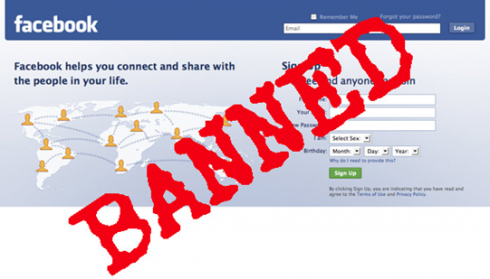
Many schools have acceptable use policies that will discourage cyberbullying and even the use of social networking on the school campus. Some schools have sites such as Facebook blocked on school networks but this doesn’t eliminate the usage of these social networking sites outside of the school boundaries. Many students still also have personal devices (ie: cell phones) which they can access the social networking sites on campus. So is it really the best solution to ban them?

Perhaps the better method of dealing with the risks of online social networking is educating our students on how to be positive digital citizens and leaders. One of the things teachers can do is educator students with a proactive stance. By teaching students how to create strong passwords, not to share passwords and report to adults when someone they don’t know contacts them or someone is acting inappropriately online. Students need to understand how digital literacy is applicable to them and use online etiquette when communicating with others.

In addition, students need to be educated about how to deal with cyberbullying. Thus, they need to learn how to become more resilient and act responsibly. Again, by taking a proactive approach to this issue, students will have the required skills and strategies to help them successfully navigate a situation when an issue does arise.

As a teacher, I also feel it is important to model appropriate online behaviour. This past year, we used Edmodo which mimics Facebook for students in a more private setting. The students learnt about creating online profiles that were appropriate for their grandmas to see and learnt how to communicate effectively and appropriately with others online. Google Classroom can be used in a similar fashion. My students know that I have a Twitter account and that I use it for a specific purpose - education. This social media network to me isn’t for my friends and family. We talk about setting clear boundaries of who you will ‘friend’ and who you will not. In addition, I have had a weekly Gmail Home Writing programme for the last two years with my Year 5 students. This has helped them grow in their understanding of proper email etiquette and online communication. These skills can be transferred to other areas of online communication as well.

There are a number of great resources to help educate students as digital citizens:

Common Sense Media
Digizen.org
Graphite
Digital Bytes
Digital Passport
Digital Compass
Media Smarts

Ribble (2009) outlines the nine elements of being a digital citizen. If teachers adequately taught the necessary skills to be a good digital citizen, it is the hope that there would be a decrease in cyberbullying.

We will never be able to stop our students from participating in online social networking sites. However, it is our job to educate them so they may make choices they can be proud of and communicate in a safe manner with others.

References

Roblyer, M. D., & Doering, A. H. (2014). Integrating educational technology into teaching [Sixth Edition].

Ribble, M. (2009). Passport to digital citizenship: journey toward appropriate technology use at school and at home. Leading and Learning with Technology, 36(4), p. 14-17.